SolidCraft Plugins › V-wheels
 V-wheels v0.3.0
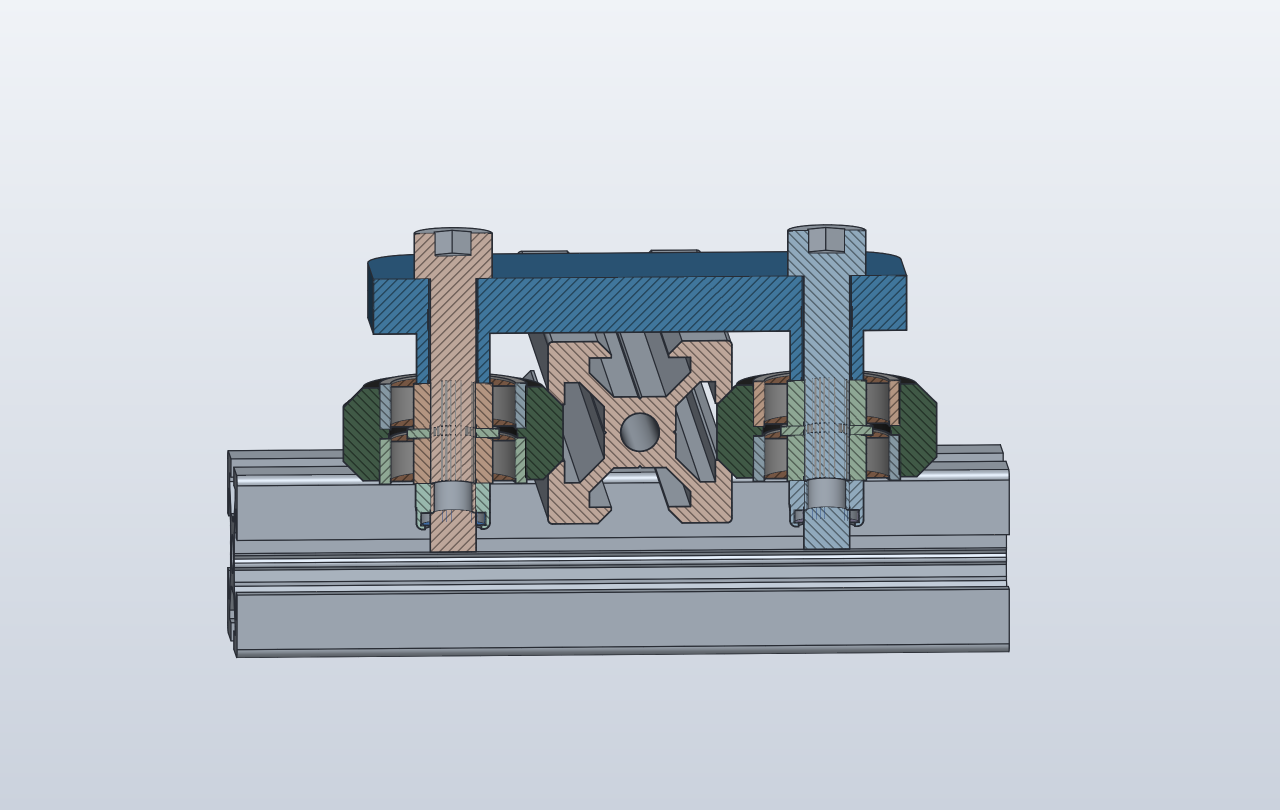
OpenBuilds V-wheels. Pick sketch points or circles: each gets a wheel, with its bearings and shim if you want them. With nothing picked, one wheel sits on the origin.
What it adds to SolidCraft
- V-wheel
Install V-wheels
- Download the zip above (from release v0.3.0).
- In SolidCraft: Plugins › Install plugin… and pick the zip.
- Run it from the Plugins menu, or its button in the ribbon (SolidCraft 0.42 and later).
Questions and bug reports go to the plugin's author, in the issues on GitHub. If it crashes SolidCraft, harms a design or looks unsafe, please also report it to this list, so others can be warned.
What's new in v0.3.0 (2026-11-19)
All six plugins now share internal part definitions and verified component reuse. Bearings and V-wheels add supplier products with visible exterior detail. The Bearing dialog also offers a supplier-neutral sealed 105. CSK clutches add customizable exterior geometry with reference sources recorded separately.
Bearings and V-wheels
- Bearings offers base size and closure or a search by nominal bore, outside diameter and width. Thirteen closed variants use estimated exteriors. Twelve carry catalog-confirmed MISUMI numbers, and the sealed 105 has a supplier-neutral BOM row. Open remains available for 626. The product table lists each exterior basis.
- V-wheels offers Solid, Xtreme Solid, grooved Delrin, Delrin Mini and Xtreme Mini products. Choose a bare wheel or a core comprising one wheel, two bearings and one internal shim.
- Direct bearings and wheel assemblies reuse the same verified bearing definition. The wheel package contains its dependencies; installing Bearings separately is optional.
- Core assemblies list their separate purchases in the BOM. They are not retail kits and do not include mounting axles, external spacers, washers or nuts.
- Geometry is built from native features using measured STEP profiles. Source hashes, dimensional discrepancies and the 105ZZ correction from 4.2 to 4 mm are documented. Original STEP files are not distributed.
Bearing closures are intentional zero-thickness surface bodies; rings are exterior envelopes. These models support layout and appearance, not physical bearing mass, internal contact or manufacturing sections. Metal wheels and the supplied inch and 8 × 16 × 5 bearings remain unpublished candidates pending exact product evidence.
Similar SolidCraft plugins
- SolidInserts Create heat-set insert seats and embedded hex nut pockets in existing holes.
- Bearings Insert radial bearings and CSK one-way clutches.
- Extrusions MISUMI 5 series T-slot and OpenBuilds V-slot rails, with slot nuts. Place fixed-length…
- Heat-set inserts Based on CNC Kitchen's heat-set inserts. Pick sketch points or circles: each gets the…
- Hex nuts Place plain hex nuts or nylon-insert lock nuts, with optional captive pockets and bolt…
- Screws Based on the ISO metric screw standards. Pick an existing bore to seat a screw, or pick…